- Open Shell (cmd.exe) as Administrator
- run the following powershell command:
powershell "(Get-WmiObject -query ‘select * from SoftwareLicensingService’). OA3xOriginalProductKey"
Showing posts with label Windows Articles. Show all posts
Showing posts with label Windows Articles. Show all posts
How to retrieve the key license of Windows from UEFI


How to fix slow right click menu int your desktop windows


1) Open from cmd the regedit.exe comamnd
2) open the path:
HKEY_CLASSES_ROOT\Directory\Background\shellex\ContextMenuHandlers
3) save (with export option) the branch in your computer.
4) delete entries one at a time, and try right-clicking each time.
5) when you find the item that locks the menus, reload the file saved in
your computer and remove only that item
If you want to use a program yo can use ShellExView
Scan and repair corrupted System Files
Open a shell command as Adminsitrator
cmd
and run the following comamnd:
sfc /scannow
If you have an error you can fix it wih the following command:
DISM /Online /Cleanup-Image /RestoreHealth
sfc /scannow
If you have an error you can fix it wih the following command:
DISM /Online /Cleanup-Image /RestoreHealth
Unblock Windows Update when installing updates is impossible
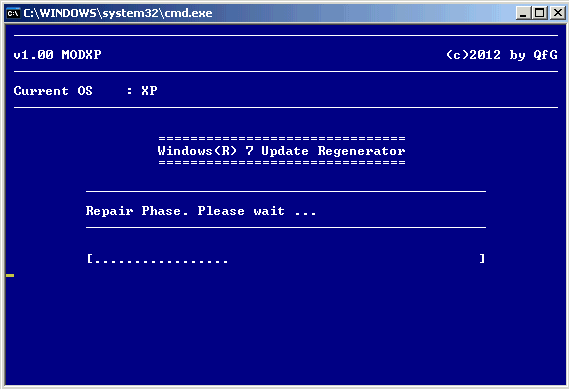
The orgianl post is here
net stop wuauserv
attrib -r %systemroot%\SoftwareDistribution /S /D
rd /s /q %systemroot%\SoftwareDistribution
net start wuauserv
shutdown -r


How to active "Ultimate Performance" on windows 10

A new power scheme – Ultimate Performance: Demanding workloads on workstations always desire more performance. As part of our effort to provide the absolute maximum performance we’re introducing a new power policy called Ultimate Performance. Windows has developed key areas where performance and efficiency tradeoffs are made in the OS. Over time, we’ve amassed a collection of settings which allow the OS to quickly tune the behavior based on user preference, policy, underlying hardware or workload.
While Microsoft has restricted the new Ultimate Performance power plan to only be available for the Windows 10 Pro for Workstations edition by default, it can easily be enabled (added) in any edition of Windows 10 version 1803 (build 17101) and later.
This tutorial will show you how to add or remove the Ultimate Performance power plan scheme in any edition of Windows 10 version 1803 and later.
How to retrieve windows expiration date

STEP 1
Press WIN+R
STEP 2
write:
slmgr.vbs -xpr
and press the button ENTER
Windows cannot be installed on this disk. The selected disk is of the GPT partition style.

If you have this error, when you install windows 10:
Windows cannot be installed on this disk. The selected disk is of the GPT partition style.
you can resolve in this way:
Manage profile with Netplwiz

If you want creare, remove or change user profile of your ocmputer you can use the following command:
>Netplwiz.exe (from cmd command as administrator).
This program is useful when you want to remove password from your account.
How to Disable Teredo Tunneling Pseudo-interface
To remove Teredo Tunneling Pseudo-interface run the following command:
netsh interface teredo set state disabled

netsh interface teredo set state disabled

Xbox sign-in with error code " 0x406" on Windows 10
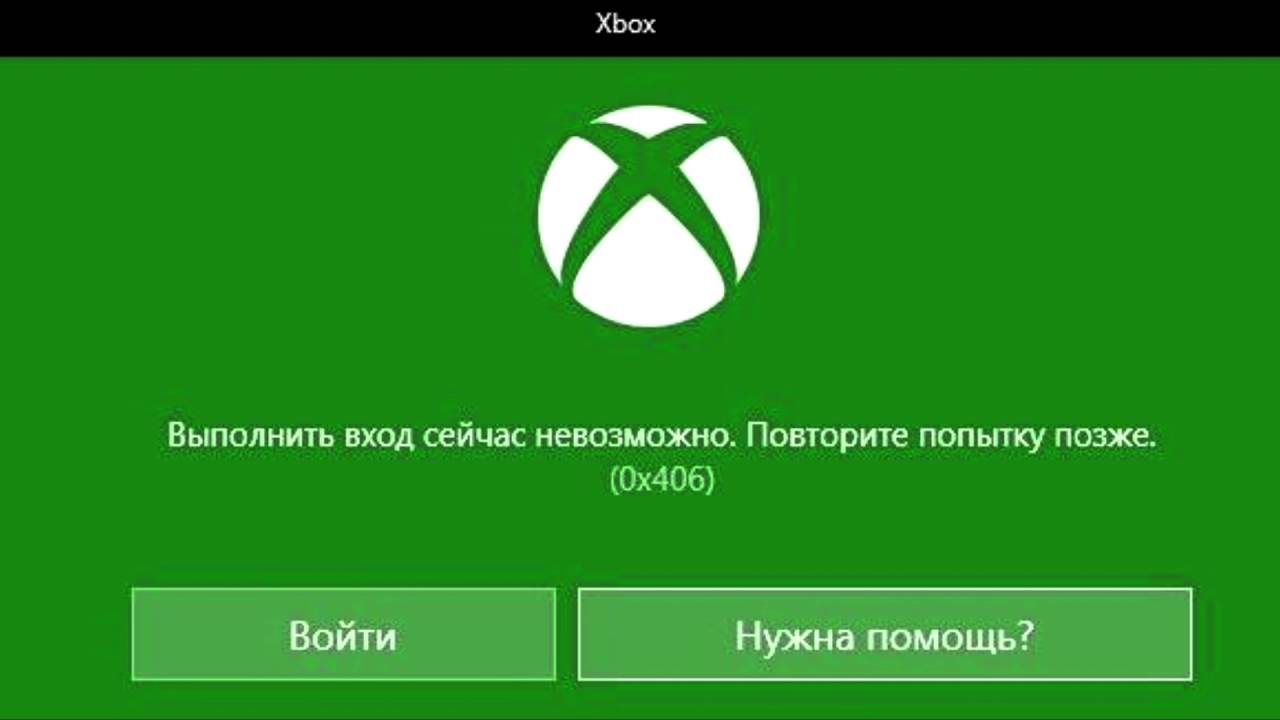
Run Powershell as Administrator and run the following commands:
Get-AppxPackage *windowsstore* | Remove-AppxPackage
Get-AppxPackage *xboxapp* | Remove-AppxPackage
Now, restart your computer
When windows is on, re-open Powershell as administrator and run the follow command:
Get-AppxPackage -AllUsers| Foreach {Add-AppxPackage -DisableDevelopmentMode -Register “$($_.InstallLocation)\AppXManifest.xml”}
Go in windows store and you check if xbox app is installed otherwise install it.
Run xbox and now the app is connected.
Good luck.
How to reset the special folder on Win 10

Create with your notepad a file .reg and copy the following code
Long Live the SSD

If you have an SSD (operating system) and a HDD on your computer and want to extend the life of your SSD then you can use this guide:
My external USB hard drive is not working but it is detected. Avira blocks it

I have a WD Element desktop of 3Tb (external) where I store my data as backup.
Lately, the HD was not working, but it is detected......
A real mystery.
I can not explain why, but AVIRA blocked it......
I tried everything; I thought of drivers, then windows upgrades, but I did not find the solution.
Then I found this post and suggested the following winner procedure:
How to optimize SSD

If you have a Windows 10 and a SDD (solid-state drive), you can optimize your SDD and you computer will be very fast.
The steps are the following:

How to unlock Windows Update ( also used to repair svchost.exe use 100% of your cpu)

Sometimes Windows Update freezes or fails to work properly.
To resolve this problem follow these steps:
Ho to fix Windows Firewall - Error 5 when it not start.....

If you try to run the Windows Firewall service and the Firewall service is always down
How to resolve: Preparation of Automatic Recovery
If you have the following message when you start the computer:


How to fix your Windows 10 Start Menu

If you have Windows 10 and the menu don't appear then you don't worry and follow these solutions:
Subscribe to:
Posts (Atom)