
Showing posts with label IpWebCam. Show all posts
Showing posts with label IpWebCam. Show all posts
Home Security Camera - Alfred


When Motion Detection don't send E-mail (Foscam IPcam)

Sometimes the cameras do not send email on alarm .
Tips on Foscam FI8918W
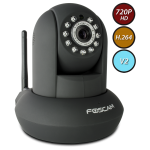
Enable motion detect
http://ip_address:port_number/set_alarm.cgi?user=user_login&pwd=password&motion_armed=1
i.e
Disable motion detect
http://ip_address:port_number/set_alarm.cgi?user=admin&pwd=password&motion_armed=0
i.e
http://192.168.1.48:8585/set_alarm.cgi?user=admin&pwd=12345678&motion_armed=0
Get parameters
http://ip_address:port_number/get_status.cgi?user=admin&pwd=password
i.e.
http://192.168.1.48:8585/get_status.cgi?user=admin&pwd=12345678
Setting your IP Web Cam (P2P) if your provider use NAT architetture

If your Internet provider use the NAT architetture, then your haven't a IP public, you cannot use the usual setting (open fowarding port in your router, set DDNS service etc).
In this case (or if you wan't to use the normal architetture) you must use the IP Web Cam with P2P (only if your ip web cam support P2P).
Use the P2P is very easy.
Install in your smarphone the App of your Ip Web Cam, set in manualy mode or using the qrcode the
UID of your cam and add the login and password and you have finished.
(Before you must to register in the cloud application of your IP Web Cam).
Very easy.
No, fowarding port, no DDNS service, nothing else.
How to enable Gmail in your Foscam Ipwebcam
Some days I did not receive more e-mails from my Foscam ipwebcam...


NOTE: if you have enable the security in two steps, you have to disable it.
Very strange because is has always worked.
I have checked the "Mail Service Settings" in the webcam and all it is correct:

after I remembered that Google has prepared the account security system then I have setting the following:

Go to https://www.google.com/settings/security and login your gmail account;
Click on “Settings” behind“Access for less secure apps”, then choose “Enable”. (see point 4)
Now my test is correct:
NOTE: if you have enable the security in two steps, you have to disable it.
Webcam Viewer
Today I have try several viewer for webcam and the best are the following:
MEyePro HD
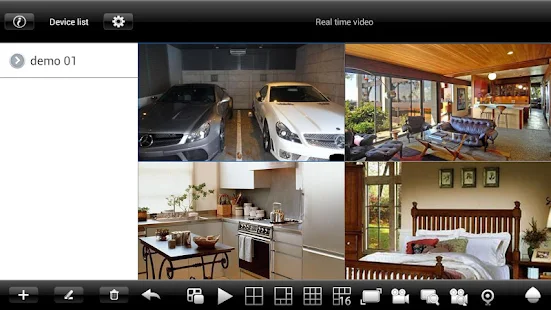
Official site: http://www.meyetech.com/meyepro/
Foscam Viewer

Official site http://www.foscam.com/down5.aspx
SOLVED – Foscam IP Camera New Password Not Working

Yesterday I was about to go crazy.
I changed the password of my ipwebcam FOSCAM.
After when I have re-authenticate the password did not match.
PANIC !!!!!
Subscribe to:
Posts (Atom)